
ETL+ error and warning messages. Text of messages found in ETL+ log files or on ETL+ screens , their meaning and appropriate actions to take in response.
In this section
-
"Cannot Drop Table" Error (Log entry) DS ERROR : 10136.10005 – Cannot DROP TABLE
because it is being referenced by object . Problem may be due to a SQL view created using schema binding. -
"Error communicating with the data source" [DS ERROR: ODBC 0404,39] 🚧 Work in progress Error message: [DS ERROR: ODBC 0404,39] There was an error communicating with the data source {}. Check your credentials and try again. If this error persists, contact your dats base administrator. - [ERROR IM002] [Microsoft](ODBC Driver Manager] Data source name not found and no default driver specified
-
"Linked Objects Found" Message ETL+ Message and Yes/No prompt: “This datasource has linked objects, do you want to delete it anyway?”
-
"The connection failed during the table mapping" [DS ERROR : 01052.265] “The connection failed during the table mapping …” error message.
-
"The remote server returned an error: (503) Server Unavailable." "The remote server returned an error: (503) Server Unavailable." error message shown on the ETL+ Log.
-
ExecuteReader requires a ...Connection. DS ERROR; 1751] - Initialization failed, Entity(
)ExecuteReader requires an open and available Connection. The connection s current state is closed. -
Odata[0100.873]: The remote server returned an error: (403) Forbidden Error Message: Odata[0100.873] - The contents of table
are not available for this user. The remote server returned an error: (403) Forbidden. -
Odata[0100]: "Contents of table ... not available" OData error message: Failure | Odata[0100] - The contents of table
are not available for this user. The remote server returned an error: (500) Internal Server Error. Related error: OData: Message OData[0100] "contents ... not available" -
“Source columns or/and formats of the table ... are currently not available”. Error message when attempting to open Design page “Source columns or/and formats of the table
Related Pages
-
ETL+ Logging How to display ETL+ logs
-
ETL+ Troubleshooting – parent section of this sub-section.
⚒️ can’t connect to DataSelf ETL+ cloud metadata
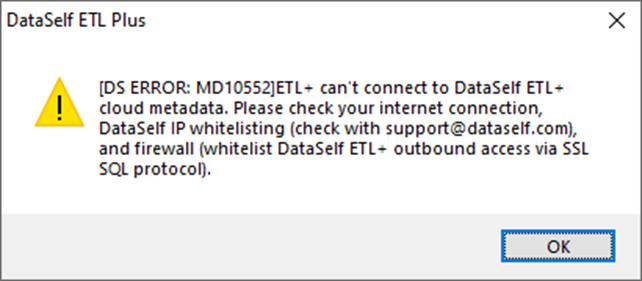
ETL+ can’t connect to DataSelf ETL+ cloud metadata
[DS ERROR: MD10552]ETL+can't connect to DataSelf ETL+ cloud metadata. Please check your internet connection, DataSelf IP whitelisting (check with support@dataself.com), and firewall (whitelist DataSelf ETL+ outbound access via SSI SQL protocol).
… are currently not available”.
-