
DataSelf Agentic ETL+
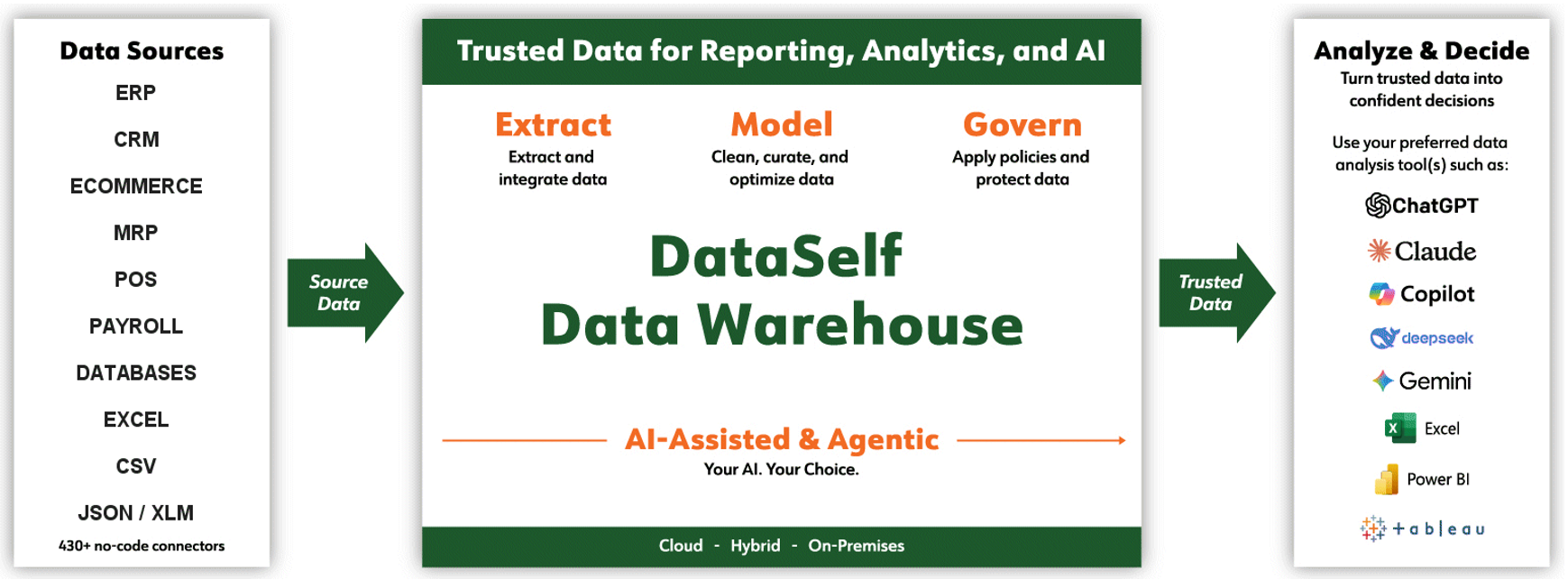
DataSelf Agentic ETL+ brings AI-assisted development, administration, and automation to DataSelf ETL+. It enables users to interact with their ETL environment through natural-language prompts, helping them build, understand, operate, and troubleshoot data pipelines more efficiently.
Agentic ETL+ combines DataSelf ETL+ Desktop, ETL+ Web, and DataSelf MCP+ with an MCP-compatible AI agent. DataSelf MCP+ provides the tools and contextual information the agent needs to understand the ETL+ environment and perform authorized operations.
Instead of navigating every task manually, a user can ask the agent to perform actions such as:
-
List available entities, data sources, jobs, and scripts.
-
Explain how a job or data pipeline works.
-
Review job steps, schedules, status, and recent execution details.
-
Search ETL+ metadata for relevant statements, sources, and objects.
-
Refresh a data source’s schema metadata.
-
Mirror source tables into the DataSelf Data Warehouse.
-
Create or modify tables, views, and T-SQL transformation scripts.
-
Run statements and load data.
-
Start or stop ETL jobs.
-
Create, update, or execute external scripts.
-
Query Data Warehouse data using read-only SQL.
-
Help diagnose job failures, schema changes, and data-loading issues.
How Agentic ETL+ Works
A user submits a natural-language request to an AI agent connected to DataSelf MCP+. The agent interprets the request, retrieves relevant ETL+ metadata, determines which supported tools are needed, and presents or performs the appropriate operations.
For example, a user might ask:
-
“Show me the jobs associated with this entity.”
-
“Which steps are executed by the nightly sales job?”
-
“Create a staging table based on this query.”
-
“Refresh the source metadata and identify any schema changes.”
-
“Mirror these source tables into the Data Warehouse.”
-
“Why did this job fail?”
-
“Run the customer data load.”
-
“Query the Data Warehouse and summarize yesterday’s sales.”
The agent can use the available context to complete multi-step tasks, reducing the need for users to locate objects, write every command manually, or move between multiple administrative screens.
Core Components
Agentic ETL+ is the combination of four components working together:
-
ETL+ Desktop: Provides advanced ETL development, configuration, and administration capabilities.
-
ETL+ Web: Provides browser-based access to supported ETL+ management and monitoring functions.
-
DataSelf MCP+: Makes supported ETL+ metadata, queries, and actions available to MCP-compatible AI agents.
-
MCP-compatible AI agent: Interprets the user’s instructions, uses the available ETL+ tools, and communicates the results.
Key Benefits
Faster ETL Development
Agentic ETL+ can help users create and modify data warehouse objects, transformation logic, job steps, and scripts using conversational instructions. This can shorten development cycles and reduce repetitive manual work.
Easier Environment Discovery
The agent can explore ETL+ metadata and explain the relationships among entities, data sources, source objects, statements, jobs, and scripts. This is especially useful when learning an existing implementation or investigating an unfamiliar pipeline.
Simplified Operations
Users can monitor job configuration and status, start or stop jobs, refresh metadata, mirror tables, and execute supported processes from a conversational interface.
More Efficient Troubleshooting
By combining metadata discovery, job information, query capabilities, and execution tools, the agent can help identify likely causes of failures and recommend corrective actions.
Reduced Technical Barriers
Natural-language interaction makes many ETL+ capabilities more accessible to users who may not know the exact object names, menu locations, or commands required to complete a task.
Access and Control
The agent operates through the tools made available by DataSelf MCP+ and within the authenticated user’s permitted environment. Its available capabilities depend on the configured connection, supported MCP+ tools, and the user’s access rights.
Some tools retrieve metadata or perform read-only queries, while others can create, modify, run, stop, or delete ETL+ objects and processes. Users should carefully review AI-generated SQL and proposed changes, test significant modifications in a non-production environment, and confirm the intended scope before authorizing production actions.
Agentic ETL+ assists users with ETL development and administration; it does not eliminate the need for appropriate testing, security controls, backups, change management, and human oversight.
Common Use Cases
Agentic ETL+ can support activities such as:
-
Developing new Data Warehouse tables and views.
-
Onboarding new source systems or source tables.
-
Understanding existing ETL implementations.
-
Maintaining ETL jobs and transformation logic.
-
Investigating failed or slow-running data loads.
-
Responding to source-system schema changes.
-
Automating recurring administrative procedures.
-
Creating and running Tableau, cloud, command-line, CSV, Power BI, or Python-related scripts.
-
Performing controlled, read-only analysis of Data Warehouse data.
-
Documenting ETL objects, dependencies, and processing steps.
Getting Started
To use Agentic ETL+, you need:
-
A configured DataSelf ETL+ environment.
-
Access to ETL+ Desktop and/or ETL+ Web, as required.
-
DataSelf MCP+ configured for the appropriate ETL+ environment.
-
An MCP-compatible AI agent connected to DataSelf MCP+.
-
Appropriate authentication and permissions for the requested operations.
Once connected, begin by asking the agent to list the entities, data sources, jobs, or scripts available to you. You can then ask follow-up questions, request explanations, or instruct the agent to perform supported ETL+ operations.
For assistance configuring or using DataSelf Agentic ETL+, contact support@dataself.com.