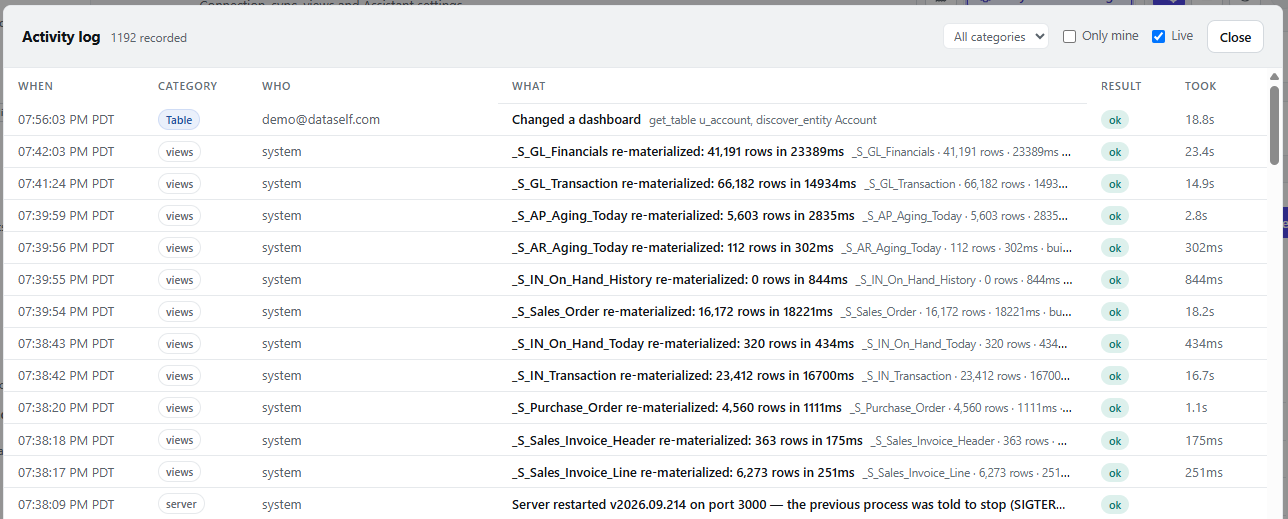
Open the Activity Log to review actions and system events in DataSelf Now. The number beside its title shows how many events have been recorded.
|
Column |
What it shows |
|---|---|
|
When |
The event time and time zone. |
|
Category |
The area involved, such as tables, views, or the server. |
|
Who |
The user or system that performed the action. |
|
What |
A description of the action and any available details. |
|
Result |
The outcome, such as ok. |
|
Took |
How long the action took. |
Use All categories to filter by event type and Only mine to show your own activity. When Live is selected, new events appear as they occur. Select Close to return to the page.