Power BI allows users to export report data for further analysis or sharing.
How to download a report
-
Open the report you want to export.
-
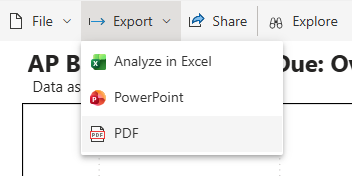
In the top menu bar of the visual or report, click Export.
-
Choose the desired file format (for example, Excel, PowerPoint or PDF).
Export Options
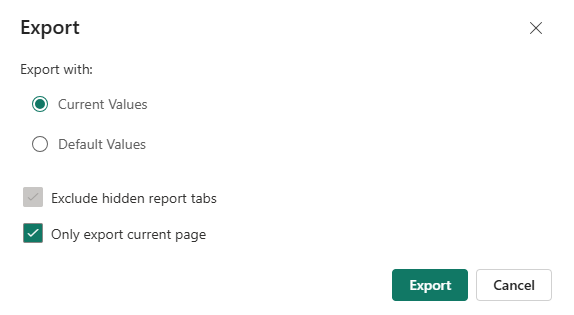
When exporting a report, you can choose how the data is exported:
-
Current Values
Exports the report using the current view, including any applied filters, slicers, or selected data. -
Default Values
Exports the report using the default report view, without the current user selections or filters.
After applying your preferred export settings, click Export to download the file.
How to Share a report
-
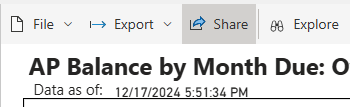
In the top menu bar, click Share.
-
Select the desired access option:
-
People in your organization
-
Specific people
-
People with existing access
-
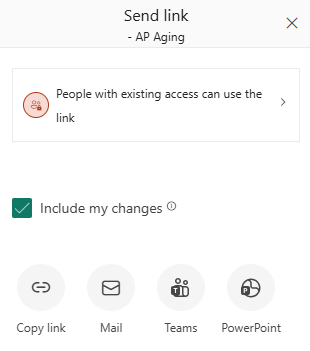
Select the checkbox Include my changes if you want to share the current report view, including applied filters, selected data, and slicer selections.
-
Click the desired sharing option to generate or send the share link.