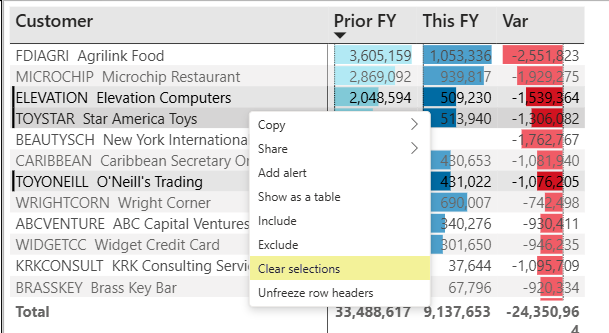
Power BI dashboards are interactive. Selecting one or more values in a visual filters the data shown in other reports on the dashboard, allowing users to explore the dashboard dynamically.
How It Works
-
Select one or more items in a visual.
-
Hold Ctrl + Click while selecting to choose multiple items.
-
Power BI applies the selection as a filter across the dashboard.
-
Other visuals automatically update to display data related to the selected items.
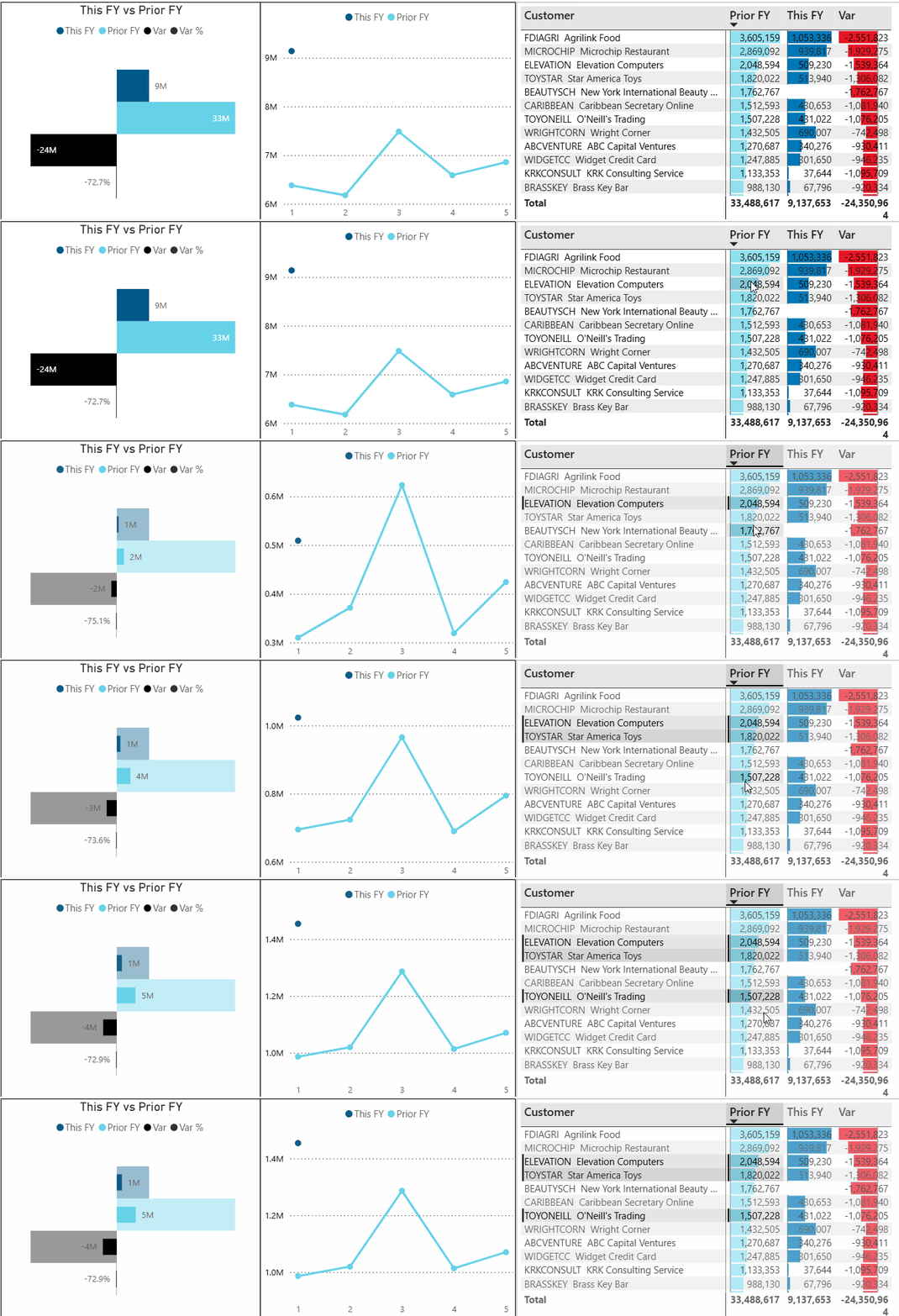
In the image above, customers are selected in the table on the right. The bar and line charts on the left update automatically to show only the selected customers.
Clear Selection
To remove a selection, right-click the visual and select Clear Selections. This resets the visuals and displays all data again.