
Open Data Source → Connection to review your source connection, adjust loading settings, and see your environment’s configuration.
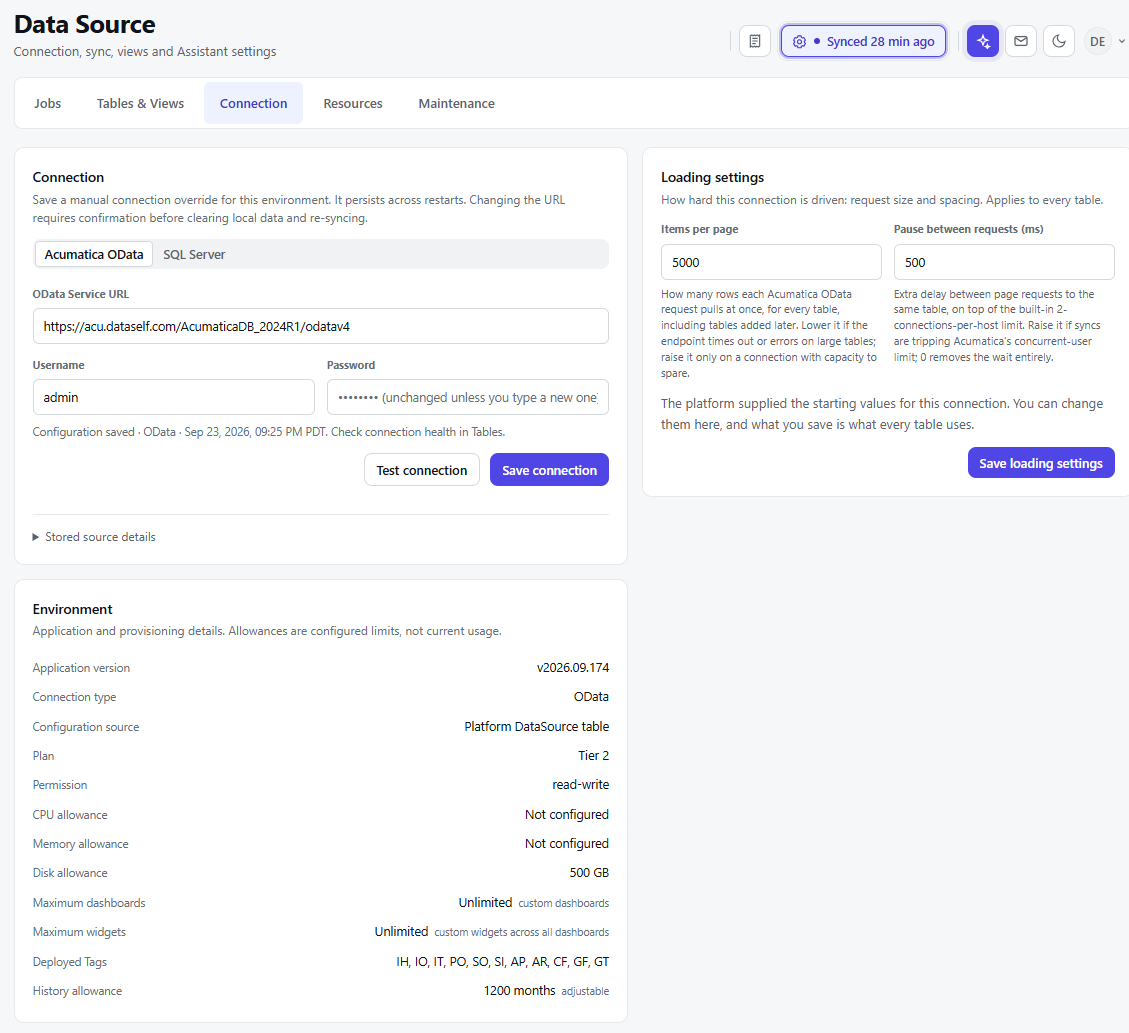
Connection
Select Acumatica OData or SQL Server to view its connection settings. For Acumatica OData, the page shows the OData Service URL, Username, and Password. The saved password stays unchanged unless you enter a new one.
Select Test connection to check the details, then Save connection to apply changes. A manual connection override persists across restarts. Changing the URL requires confirmation because it clears local data and starts a new sync. Expand Stored source details to review the saved source information.
Loading settings
These settings apply to every table loaded through the connection:
|
Setting |
What it controls |
|---|---|
|
Items per page |
The number of rows requested in each Acumatica OData call. Lower it if requests time out, or raise it if the connection can handle larger requests. |
|
Pause between requests (ms) |
The delay between page requests for the same table. Raise it if refreshes encounter Acumatica’s concurrent-user limit. Enter 0 for no delay. |
The displayed values are starting values supplied by the platform. Select Save loading settings to apply your changes.
Environment
The Environment section displays the application version, connection type, configuration source, plan, and permission level. It also shows configured CPU, memory, and disk allowances; dashboard and widget limits; deployed tags; and the history allowance.
These allowances are configured limits, not a measure of current usage.