
DataSelf NOW deployment is secure and only take a few minutes.
You can find the deployment form here: https://deploy.apps.dataself.com/quickbooksonline
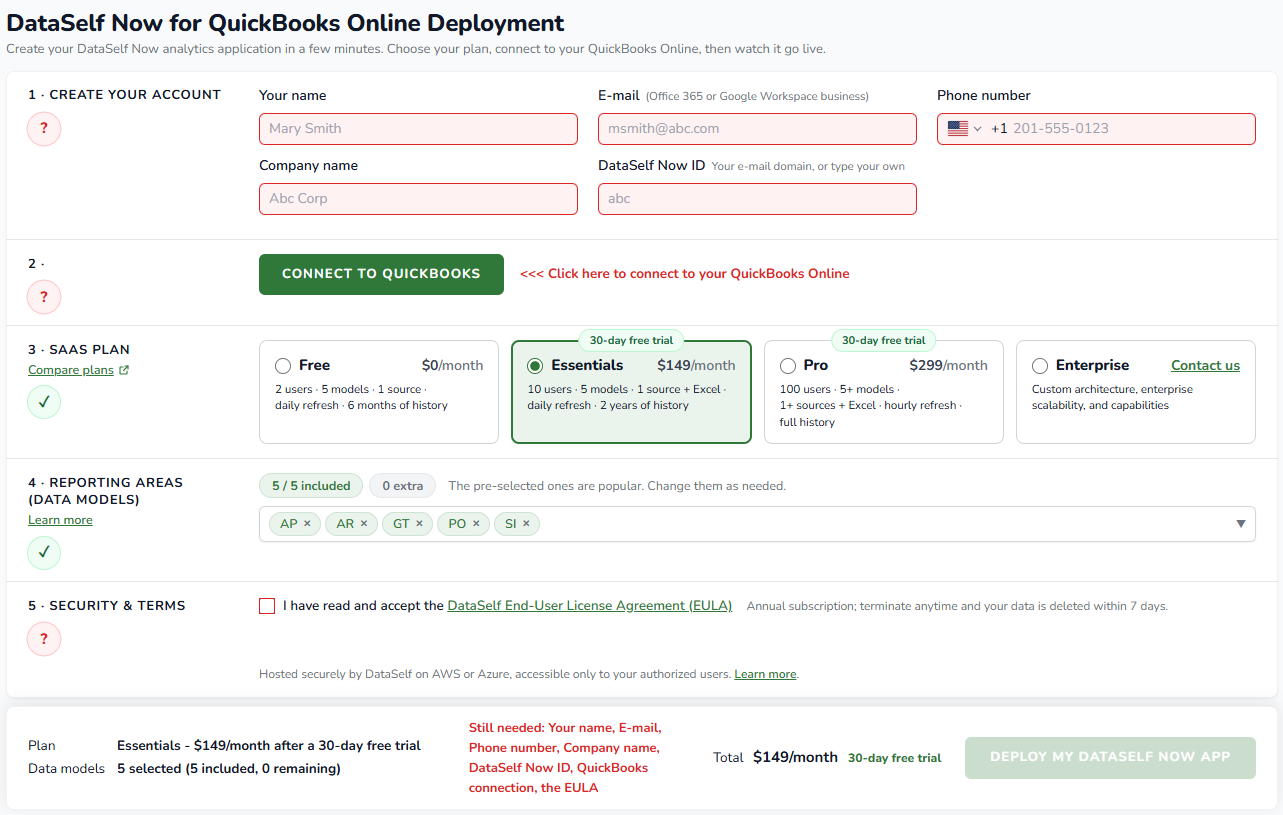
Steps:
-
Enter your your name, email, company name, and DataSelf ID (default: your company’s domain).
-
Click CONNECT TO QUICKBOOKS
-
Follow the QuickBooks Online authorization steps to grant DataSelf NOW reading rights.
-
-
Select your SaaS plan. Each plan has a summary box, click here to learn more about the plans.
-
Select your Reporting Areas (Data Models)
-
Read and accept the EULA terms.
-
Review your order, and click
Deploy My DataSelf NOW App.