
Creates and manages that connect to SQLite databases.
v2026.01
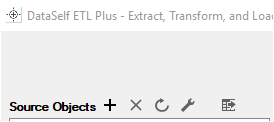
Add Source: New SQLite connection.
Properties: Maintain SQLite connection.
Refresh: Update source SQLite database metadata.
Where to Find in ETL+
-
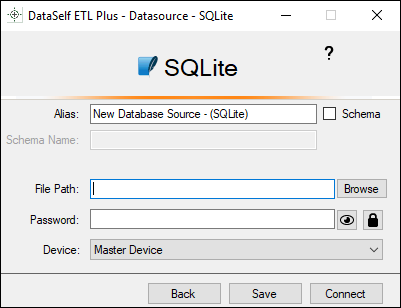
Alias. The name for the source object shown on the Source Objects panel. Unless customized the name will be automatically generated based on feed(URL).
-
File Path.
-
Password.
-
Device: Select the device with direct access to the SQLite database file(s).
-
Back. Leave the page without saving or attempting to connect.
-
Connect. Connect to the source. Same function as Refresh.
-
Save. Save the configuration without attempting to connect.
How to Maintain SQLite Connections
-
Open the ETL+ Extract, Transform and Load (ETL) Page for the ETL+ entity to edit.
-
Select a SQLite based Source Object on the Source Objects panel.
-
Select Properties > SQLite
Related ETL+ Pages
Position in the ETL+ Interface
-
Extract, Transform and Load (ETL) page
-
-
Add Source, Properties or Refresh buttons
-
-